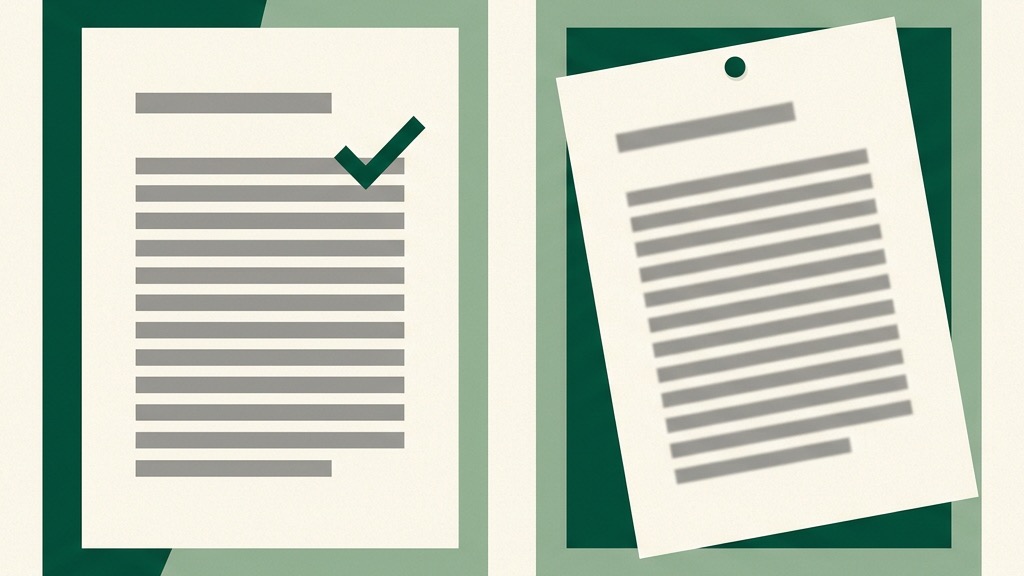
Yes, you can check a PDF for plagiarism, with one condition that decides everything: the PDF has to contain text, and a surprising share of PDFs do not. They contain photographs of text, which is a different thing entirely, and every confusing result I have seen from scanning a PDF traces back to that distinction.
Here is the two-minute way to know which kind you are holding, what checkers can and cannot do with each, and the workflow that avoids the whole problem when the stakes are real.
One extension, two completely different files
A born-digital PDF, exported from a word processor, carries a text layer: the actual characters, in order, selectable and searchable. A checker can read this the way it reads any document, because the words are genuinely in the file.
A scanned PDF is a stack of images. To your eye it looks identical, to software it is a picture of a page, with no more machine-readable text in it than a photo of your bookshelf. A text matcher pointed at it has nothing to match, and what happens next depends on the tool: some refuse the file, some return an empty or near-empty result, and either way the output tells you about the file, not about the writing.
The test takes ten seconds. Open the PDF, select a sentence, and paste it into any plain text field. Real words in the right order: text layer, scan away. Nothing selectable, or a block that pastes as garbage: you are holding images, and no checker will read them as-is.
Where OCR fits, and where it quietly fails
Optical character recognition converts page images back into text, and for a clean scan of printed type it works well enough to make checking possible. Run the OCR first, then check the recovered text, and treat the result with one extra grain of salt: recognition errors change words, and a changed word breaks the exact string a matcher would otherwise have caught.
Two cases sit beyond the useful range. Low-quality scans, skewed pages, photographed-at-an-angle homework, produce error rates that turn matching into noise. And handwriting is honestly out of scope: recognition for cursive and individual print styles is nowhere near reliable enough to feed a plagiarism check, so a handwritten essay gets checked the old way, by a person retyping the passages worth checking.
Even good PDFs export slightly broken text
The subtler problem is the text layer that is present but imperfect. PDF is a layout format, built to describe where ink goes on a page, and extracting flowing text back out of it is reconstruction, not reading. Ligatures, the typographic fusing of letter pairs like f and i, can come out as missing or odd characters. Words the layout hyphenated at a line break can extract as two halves. Columns, footnotes, and headers can interleave into the paragraph stream.
None of this matters much for a casual check, and all of it matters for a borderline one, because matching works on exact word sequences, and a hyphen split or a swallowed ligature interrupts the sequence. If a PDF scan comes back oddly clean for a document you had reasons to doubt, extraction damage is one of the explanations to rule out before you relax.
The locked-PDF case
One more variant turns up in agency work: the PDF that has text but will not give it to you, because the author set copy restrictions when exporting. The words are in the file and selection is disabled, so the paste test fails even though a text layer exists. Tools vary in how they handle restricted files, and the practical response does not: a document you are being asked to evaluate, delivered in a format configured to resist evaluation, is a conversation to have with the sender, not a technical puzzle to solve. Ask for the unrestricted source and note who hesitates.
The same problem, flowing the other direction
PDFs corrupt checks one more way that has nothing to do with scanning someone else's file: your own notes. Course readings arrive as PDFs, you copy a passage into your research doc, and the paste quietly carries the extraction damage in with it, split hyphens, mangled ligatures, a footnote embedded mid-sentence. Weeks later you quote from your notes, and your quotation no longer matches the source it cites.
The fix costs five seconds at paste time: read what actually landed, repair the seams, and mark it as a quote with its page number while you are there, which is the same note-hygiene habit that prevents most accidental plagiarism anyway. Clean sources make clean checks in both directions.
The workflow that sidesteps all of it
Ask for the source file. Nearly every PDF began life as a .docx or similar, the author still has it, and a word-processor file extracts cleanly because the text in it is structure, not layout. PlagiarismCheck.io accepts .txt, .doc, .docx and .pdf uploads, and of those, the PDF is always the worst version of the same words to check.
For editors this belongs in the process, not the moment: make .docx the required delivery format for drafts, and the QA scan in your acceptance checklist never fights the file format. A freelancer who resists sending the editable source for a draft you are paying to evaluate is answering a different question than the one you asked, and that answer is also information.
When the PDF is genuinely all that exists, an old report, a supplier's document, a submission you cannot chase, run the ten-second paste test first. Text layer: upload it, or better, paste the extracted text directly, because pasting shows you exactly what the tool will see, extraction warts included, and a thirty-second skim of the pasted text catches the hyphen splits and interleaved footnotes before they blunt the matching. Scan: OCR first, then check, then verify anything important by hand against the page image.
What this means for each side of the desk
If you are checking your own work before submission, none of this should ever touch you: check the document in its native format before it becomes a PDF, because the PDF is the last step of your pipeline, not the place quality control lives.
If you are evaluating someone else's PDF, the rule compresses to one line: establish what kind of file you are holding before you interpret any result from it. An empty report from an image is not a clean report, and the most dangerous reading of a PDF scan is the optimistic one. The file format is not a technicality. For this specific job, it is the difference between checking the writing and checking a photograph of it.